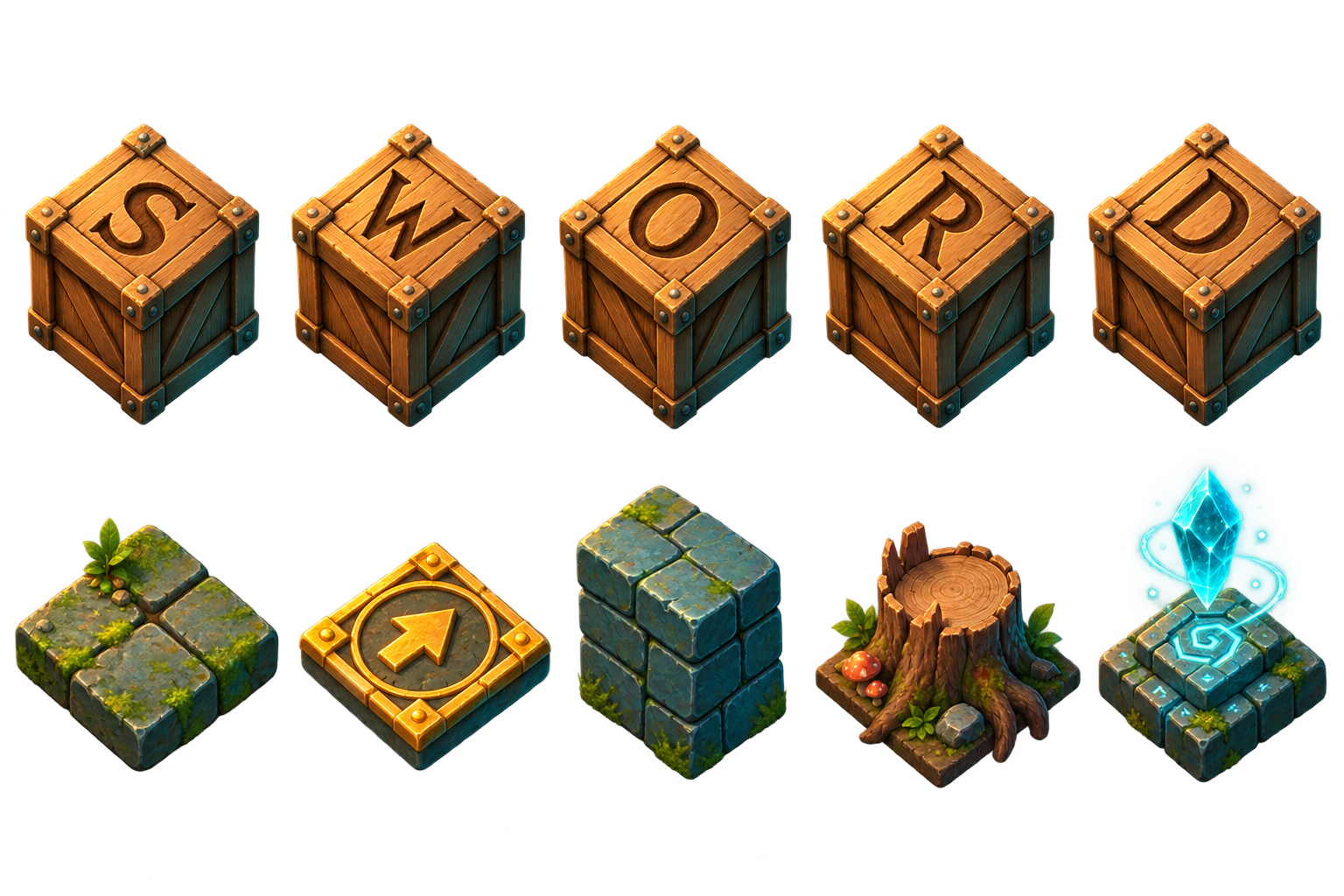
The objective: forge the word
Every level places a set of wooden crates on a grid. Each crate carries one letter, and each golden target rune carries the letter it accepts. A level is complete only when every target is covered by a crate with the same letter. The target row spells the level’s word, so matching every letter also completes the word.
Walking is simple; planning is not. A hero can push a crate by stepping into it when the next tile is open, but ordinary movement cannot pull a crate. That means the empty tile behind a crate is as important as the destination ahead of it. If the hero can no longer reach the correct side, a crate that looks close to its rune may still be unusable.
- Match letters exactly. A G crate cannot satisfy a D target.
- All targets must be correct at the same time; a partially forged word does not finish the level.
- Walls and obstacles block movement. Crates also block one another unless a hero skill explicitly moves a valid line.
- A crate pushed into a non-target corner is normally trapped, so inspect the landing tile before moving.
Move with intent
On a keyboard, use the arrow keys or W, A, S, and D. On a confirmed mobile device, swipe directly on the game board to move one tile in the detected direction. The directional controller is also available and can be dragged to a comfortable position. The board prevents page scrolling while it is handling a game gesture, so start a swipe inside the play area.
A blocked command does not increase the move count. It may turn the hero to face that direction, which matters because direction-based skills act on the tile in front of the hero. Use a harmless blocked direction when you need to aim a skill without changing position.
- Look at the desired crate and identify the direction it must travel.
- Find the support tile directly behind it—the tile where the hero must stand to push.
- Confirm the crate’s destination and the next support tile will remain reachable.
- Move the hero into position, then push only when the next part of the route is still open.
Read the board before the first move
Stone walls define the playable shape and cannot be crossed or removed. Obstacles occupy floor tiles and can create gates, pockets, and narrow corridors. Letter targets remain walkable: a hero may stand on one, and a crate may cross it, but the level checks the printed letter when deciding whether the word is complete.
Begin by finding corners, one-tile corridors, and regions connected by a single opening. Then compare the letter crates with their matching targets. Duplicate letters are interchangeable with targets carrying the same letter, but their starting positions may make one pairing much shorter or safer than another.
- Corners: avoid parking a crate there unless its matching target occupies that exact tile.
- Wall lanes: make sure a matching target lies along the lane before pushing a crate against the wall.
- Gateways: move crates through narrow entrances in the order that preserves access for the remaining letters.
- Support tiles: keep at least one route to the pushing side of every unfinished crate.
Use hero skills as planned moves
Each hero has two distinct skills. A successful skill use adds one move, consumes one available use when the skill is limited, and starts its cooldown when configured. Cooldowns decrease as successful moves or skills are completed. A rejected skill attempt does not consume a use or add a move.
Some skills act immediately in the direction the hero faces. Others enter targeting mode and highlight valid obstacles or floor tiles. Read the highlighted choices before tapping the board. Choosing a hero is part of the puzzle: the best skill is the one that solves a structural problem in the current layout, not merely the one that travels farthest.
Recover, restart, and learn
Undo restores the previous successful move, including crate positions, removed or exchanged obstacles, skill uses, cooldowns, facing, and the move total. It is ideal for testing a single uncertain push. Reset rebuilds the entire level from its initial state and resets the timer, skills, hero position, and board objects.
The hint control reminds you of the central matching rule without playing the level for you. When a plan fails repeatedly, restart and change the order of the first few crate pushes. Sokoban deadlocks often begin much earlier than the position where they become obvious.
Par, stars, and the move counter
Par is the level’s reference move count. Finish at or below par to earn three stars. A result no more than 35 percent above par, rounded up to a whole move, earns two stars. Any valid clear beyond that threshold earns one star. Time is displayed as a personal pace reference, while the star result is determined by moves.
Walking, pushing, and every successful skill each cost one move. Efficient play comes from reducing repositioning walks and avoiding pushes that later need to be reversed. A first clear reveals the structure; a replay is the right time to combine routes, time skills around cooldowns, and pursue par.
A reliable first-solve routine
Do not begin by pushing the nearest crate toward the nearest target. Instead, decide which target has the fewest valid approaches. Targets against walls, inside pockets, or beyond a one-tile gate usually need attention first. Assign a matching crate to that constrained target, then check whether moving it will block another assignment.
- Pair each crate with a likely matching target, starting with constrained targets.
- Mark dangerous squares: non-target corners, closed wall ends, and cells that seal a gateway.
- Plan the final push onto the hardest target and work backward to the required support tile.
- Move crates through shared corridors in the necessary order.
- Use a hero skill only after checking its landing position and the board state it leaves behind.
- After the clear, replay and remove unnecessary hero travel before trying to remove essential pushes.
Frequently asked questions
Can I pull a crate?
Ordinary movement can only push. Pip’s Vine Pull is the exception: with a crate directly ahead and a clear tile behind, Pip steps backward and pulls that crate into his former tile.
Why did the level not finish when every target was covered?
Each target requires the matching printed letter. Check for two crates that reached the wrong runes, especially when the word contains several different letters close together.
Does using a skill increase the move count?
Yes. Every successful skill adds one move. An invalid or unavailable skill attempt leaves the board and move total unchanged.
What does a cooldown of zero mean?
Zero means the skill does not receive a move-based cooldown. Its per-level use limit may still apply.
Can I change heroes during a level?
Yes. Select the hero portrait in the upper-left corner of gameplay, then choose another available hero. The board remains in its current position.